
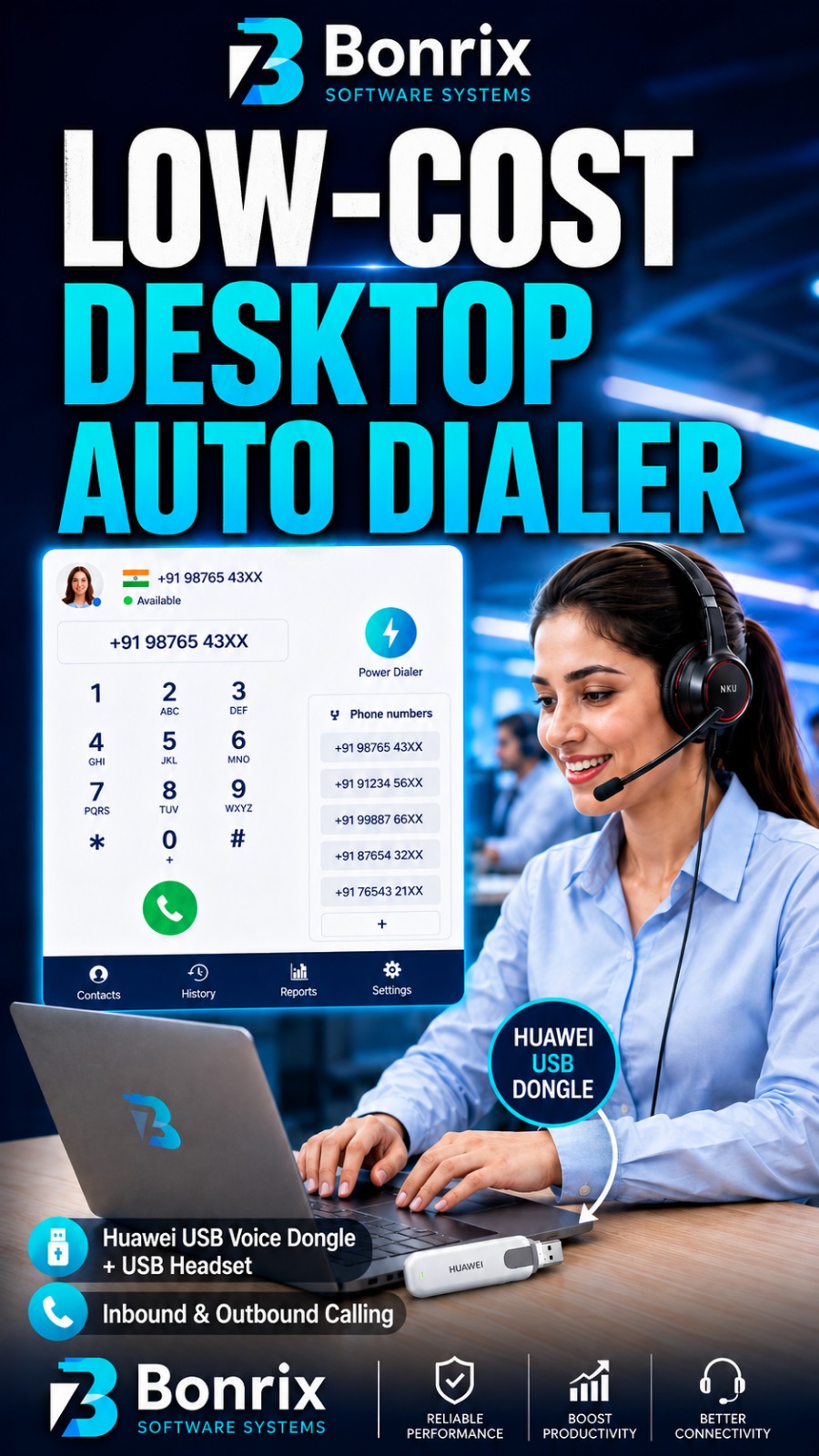
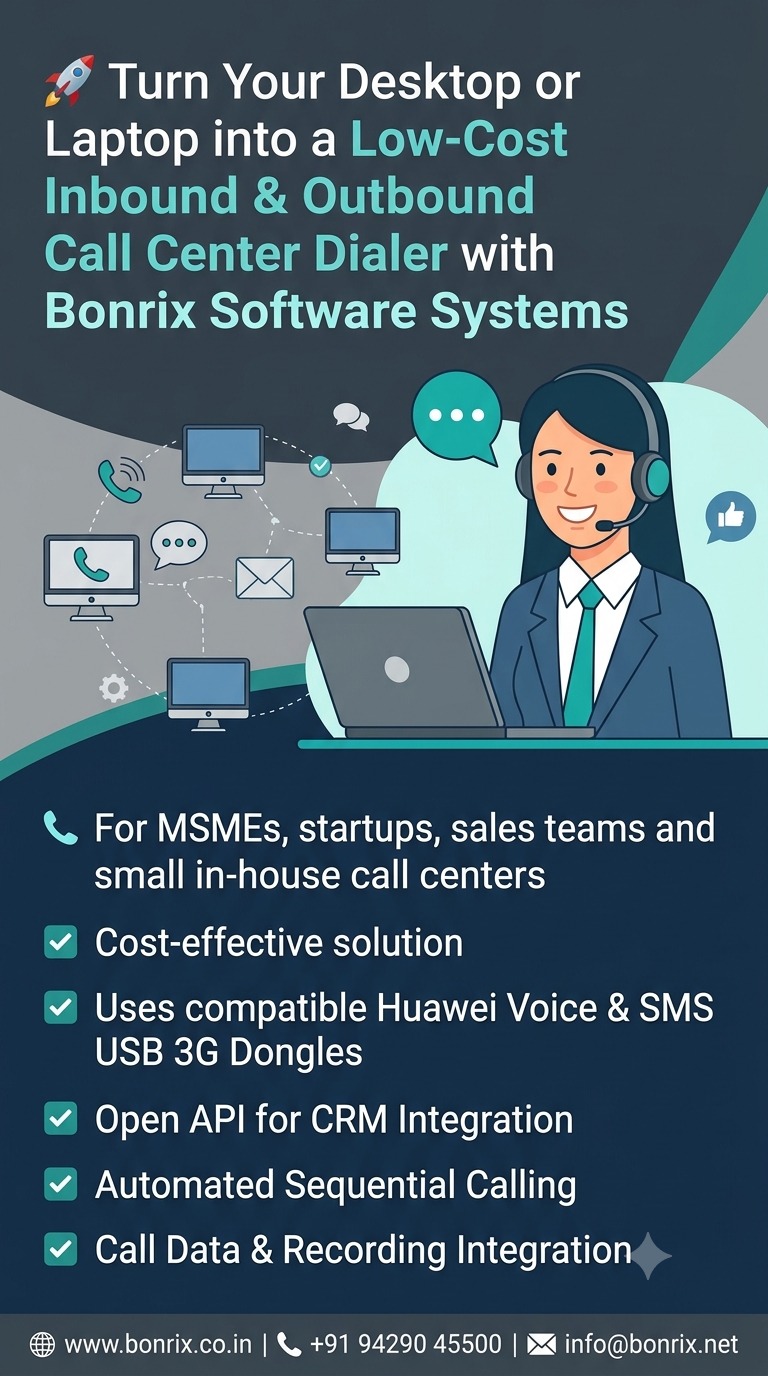
Bonrix Low-Cost Desktop & Laptop Auto Dialer — Turn Your PC into an Inbound/Outbound Calling Workstation
Bonrix Software Systems provides a very low-cost, efficient and practical Desktop/Laptop Auto Dialer solution designed for small call centers, MSMEs, startups, sales teams, customer-support departments, telecalling operations and organizations that want to manage business calling directly from a computer without depending on a separate mobile phone for every agent.
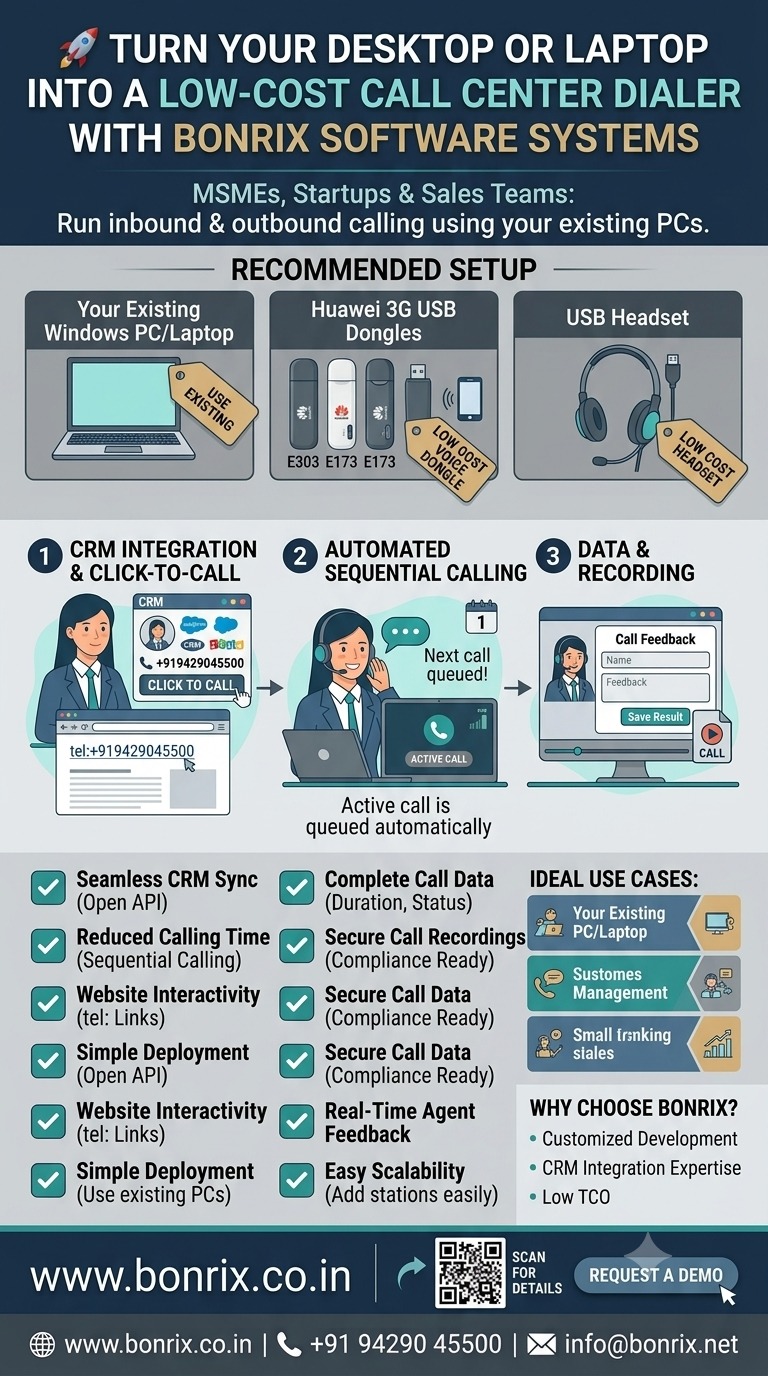
The solution uses a compatible Huawei Voice & SMS USB 3G Dongle / USB Stick together with a USB headset connected to a Windows desktop or laptop. With the Bonrix Auto Dialer application, the computer can become a convenient calling workstation for handling both incoming and outgoing business calls, while the agent continues working on CRM data, customer history, follow-up details and other information on the same screen.
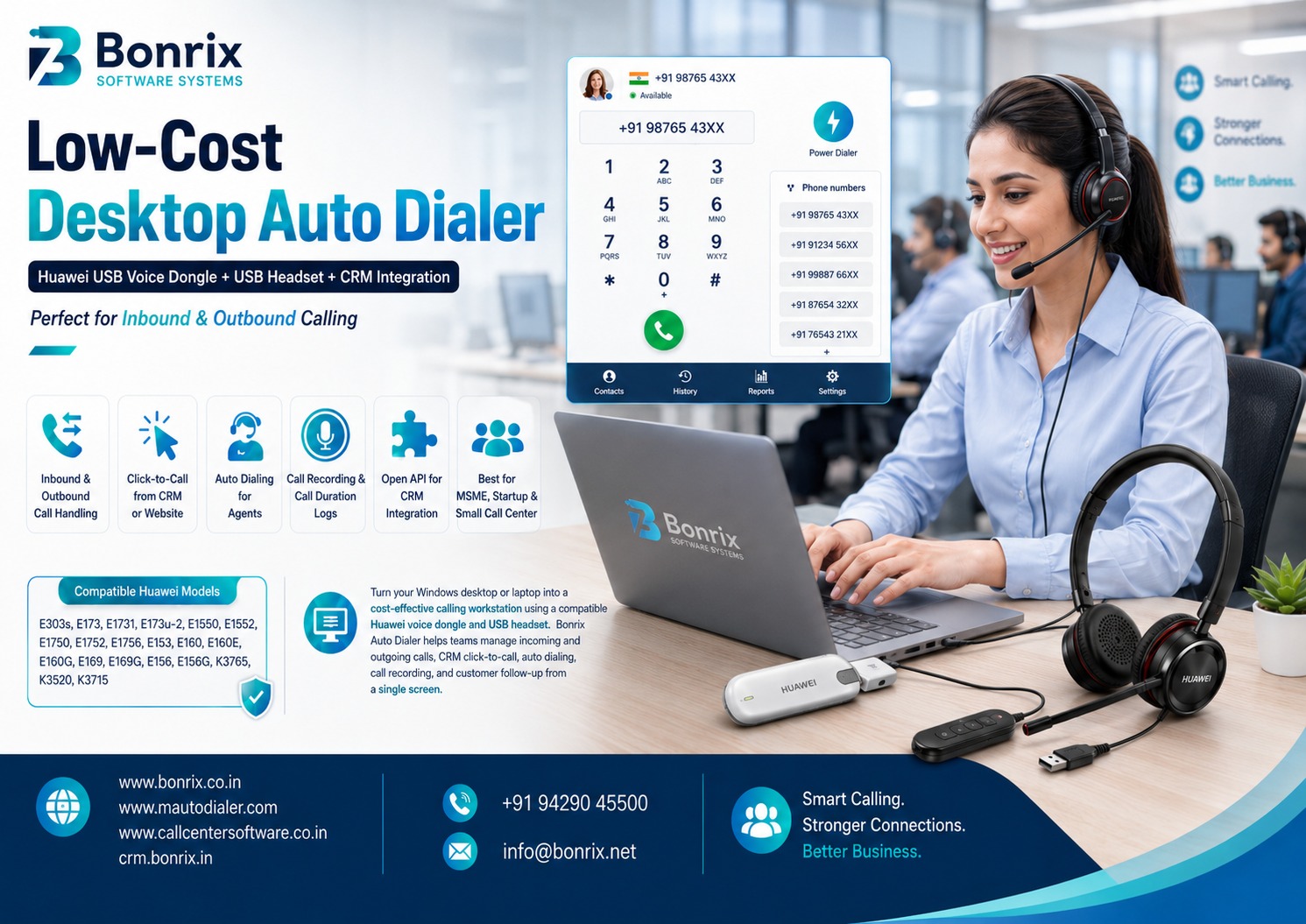
Bonrix Auto Dialer is designed for compatible Huawei dongle models including E303s, E173, E1731, E173u-2, E1550, E1552, E1750, E1752, E1756, E153, E160, E160E, E160G, E169, E169G, E156, E156G, K3765, K3520 and K3715, subject to the modem's voice capability, firmware, drivers and telecom-network compatibility.
A Cost-Effective Desktop Calling Solution for Small Businesses
Many small organizations want call-center functionality but do not require a large IP-PBX, PRI infrastructure or expensive enterprise telephony platform. Bonrix provides a simpler approach where an agent can use a desktop/laptop, supported Huawei USB voice dongle, SIM card and USB headset to create a compact business calling workstation.
The agent gets significantly more working space compared with operating only from a mobile phone. Customer information, previous follow-ups, outstanding payments, service history, lead status, remarks and CRM forms can remain visible on the laptop or desktop screen while the conversation is in progress.
This makes the solution especially useful for sales calling, lead follow-up, customer support, collection reminders, appointment confirmations, service calls, enquiry handling, customer retention and small in-house call-center operations.
CRM Integration through Open API
One of the major advantages of Bonrix Auto Dialer is its ability to integrate with existing CRM, ERP, lead-management, customer-support or call-center software.
The desktop dialer provides an open API for integration, allowing your CRM application to initiate calls and exchange relevant calling information with the dialer.
For example, when an agent opens a customer record inside your CRM, instead of manually reading the number and typing it into a phone, the agent can simply press Call. The CRM sends the mobile number to Bonrix Auto Dialer, and the desktop application automatically initiates the call through the connected compatible Huawei USB voice modem.
This reduces manual dialing, minimizes wrong-number dialing and helps agents handle a larger number of customer interactions efficiently.
Click-to-Call Directly from a Website or CRM
Bonrix Auto Dialer can also support Click-to-Call integration.
A telephone hyperlink such as:
tel:+919429045500
can be associated with the Bonrix desktop dialer on a Windows computer. When the user clicks a telephone number displayed on a CRM, web application or supported webpage, the registered desktop dialer application can be invoked and the selected number can be passed for dialing.
This provides a familiar experience similar to clicking an email address to open an email application—but for business calling from the desktop.
Ideal for Auto-Dialing and Agent Productivity
The solution becomes even more useful when integrated with an automated calling workflow.
Instead of asking agents to manually select and dial each customer, the CRM and Bonrix Auto Dialer can work together to present calls sequentially.
An agent receives a customer record, speaks with the customer using the connected headset and records the appropriate feedback in the CRM. Once the feedback is submitted, the system can automatically move to the next customer and initiate the next call according to the configured business workflow.
This type of process is particularly effective for telemarketing teams, lead-generation campaigns, payment reminders, renewal reminders, customer verification, feedback campaigns, support follow-ups and sales enquiry follow-up.
It allows the agent to concentrate on the conversation rather than repeatedly entering telephone numbers.
Incoming + Outgoing Call Management
The same workstation can be useful for both inbound and outbound calls where supported by the connected modem and telecom service.
Incoming customer calls can be handled through the desktop headset, while the CRM can use the incoming number to identify the customer and display relevant information to the agent.
For outgoing operations, calls can be initiated from CRM records, lead lists, support tickets or an automated calling queue.
This creates a compact Inbound + Outbound Call Center Dialer workstation suitable for organizations that want to start with a limited investment.
Call Duration, Call Data and Recording Integration
For organizations where customer communication needs to be monitored and documented, Bonrix Auto Dialer can be integrated with the company's CRM or call-center application to maintain useful call information.
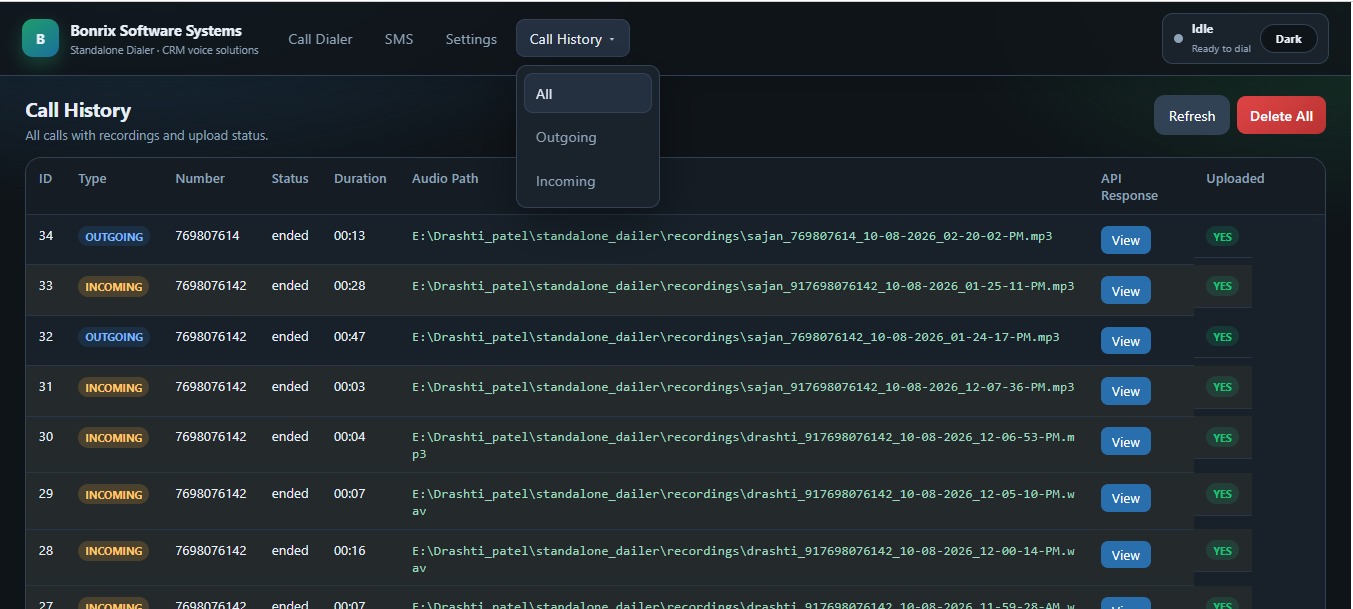
Depending on the customized integration, the application can work with information such as customer/mobile number, inbound or outbound call type, call status, call duration, call start/end details, agent information, CRM feedback and audio recording reference.
Call recordings can also be transferred or uploaded to the organization's CRM or call-center software suite, allowing authorized supervisors to review conversations for auditing, dispute resolution, customer-service improvement, training and quality-control purposes, subject to applicable recording, consent and privacy requirements.
Instead of having customer information in one system and calling information somewhere else, Bonrix can help organizations create an integrated workflow where CRM activity + calling + feedback + call history + recording become part of the same customer interaction process.
Perfect for MSMEs, Startups and Small Call Centers
Bonrix Desktop Auto Dialer is particularly suitable for businesses that need calling automation without investing immediately in expensive enterprise call-center infrastructure.
A small team can establish calling workstations using existing PCs or laptops, compatible Huawei USB voice dongles and USB headsets. The organization can then integrate the dialer with its existing CRM or ask Bonrix Software Systems to develop a customized CRM and calling workflow according to its business requirements.
It can be useful for small sales offices, service centers, insurance teams, finance follow-up teams, education institutes, real-estate sales teams, dealerships, distributors, customer-care teams, collection departments, appointment desks, marketing agencies and startup call centers.
The major objective is simple: reduce manual dialing, improve agent productivity, keep customer data visible during every conversation, automatically maintain call information and create a structured follow-up process inside the CRM.
Customized Dialer & CRM Development
Bonrix Software Systems can provide customized Desktop Dialer development, CRM integration, Click-to-Call integration, Auto-Dialing workflow development, call-recording integration and complete CRM software development according to organizational requirements.
For businesses planning an affordable in-house telecalling, sales or support operation, Bonrix offers a practical way to combine desktop computing, GSM calling and CRM automation into a unified solution.
Contact Bonrix Software Systems
Website: https://www.bonrix.co.in
Auto Dialer: https://www.mautodialer.com
Call Center Software: https://www.callcentersoftware.co.in
Bonrix CRM: https://crm.bonrix.in
Phone / WhatsApp: +91 94290 45500
Email: info@bonrix.net
Note: Huawei modem voice functionality depends on the exact hardware revision, firmware, drivers, SIM/operator service and availability of compatible cellular networks in the deployment area.
#LaptopDialer #USBDialer #GSMModem #HuaweiDongle #HuaweiE303 #HuaweiE173 #HuaweiE1731 #HuaweiE1550 #HuaweiE1552 #HuaweiE1750 #HuaweiE1752 #HuaweiE1756 #HuaweiE153 #HuaweiE160 #HuaweiE169 #HuaweiE156 #USB3GDongle #VoiceDongle #GSMCalling #DesktopCalling #ComputerCalling #PCCalling #ClickToCall #WebClickToCall #CRMDialer #CRMIntegration #CRMSoftware #CallCenterCRM #CallCenterSoftware #CallCenterSolution #CallCenterTechnology #InboundCallCenter #OutboundCallCenter
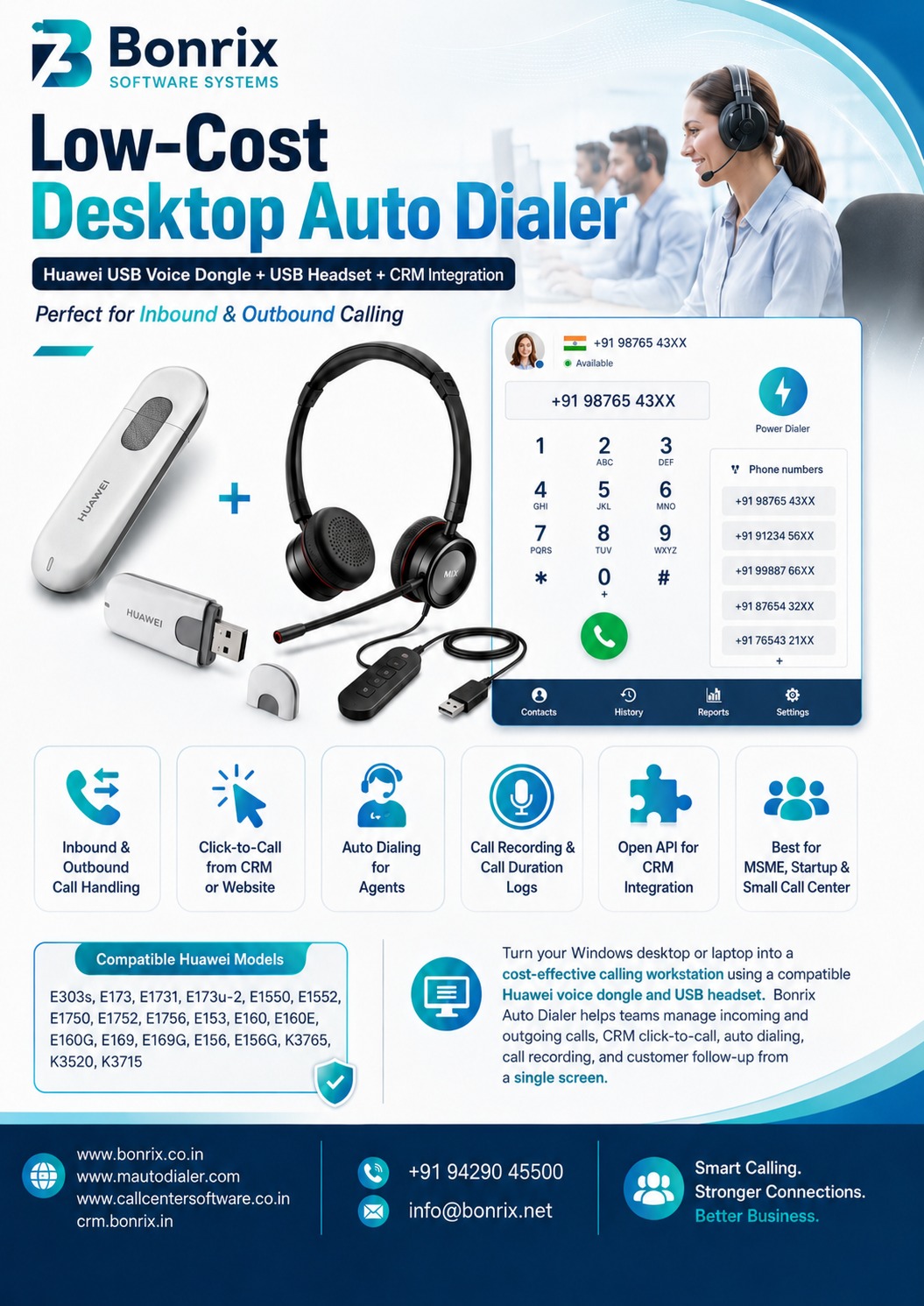
Bonrix Auto Dialer Client — Turn Any Desktop or Laptop into a Complete Inbound/Outbound Call Center with Huawei Voice & SMS 3G USB Dongles
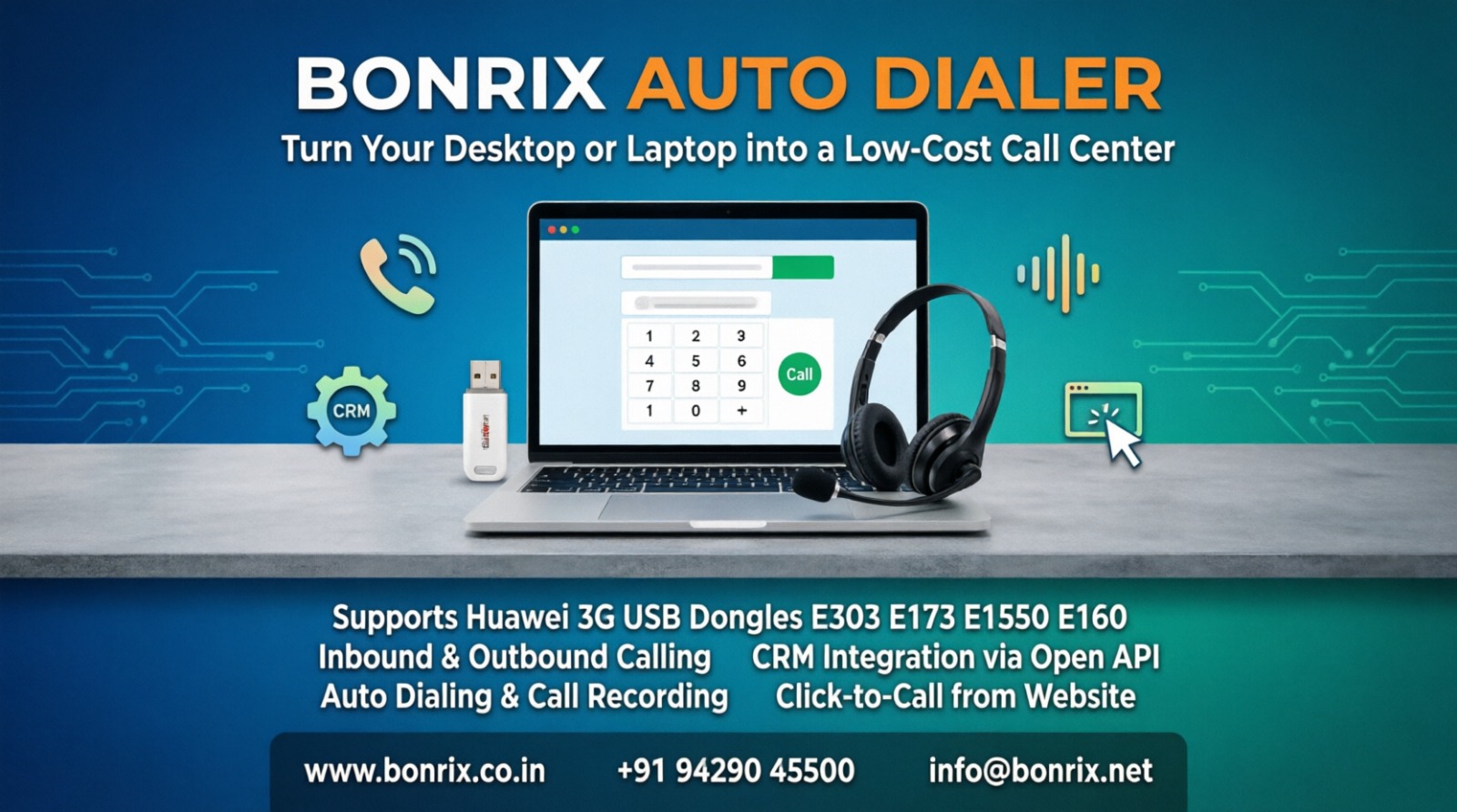
Bonrix Software Systems, Ahmedabad (India), brings you a very low-cost, highly efficient Desktop/Laptop Dialer built around Huawei Voice & SMS Dongles / USB 3G Sticks. By pairing an affordable Huawei data card with a standard USB headphone, any ordinary desktop or laptop is transformed into a fully functional call-center station that handles incoming and outgoing calls perfectly — no expensive PRI lines, EPABX hardware, or mobile handsets required.
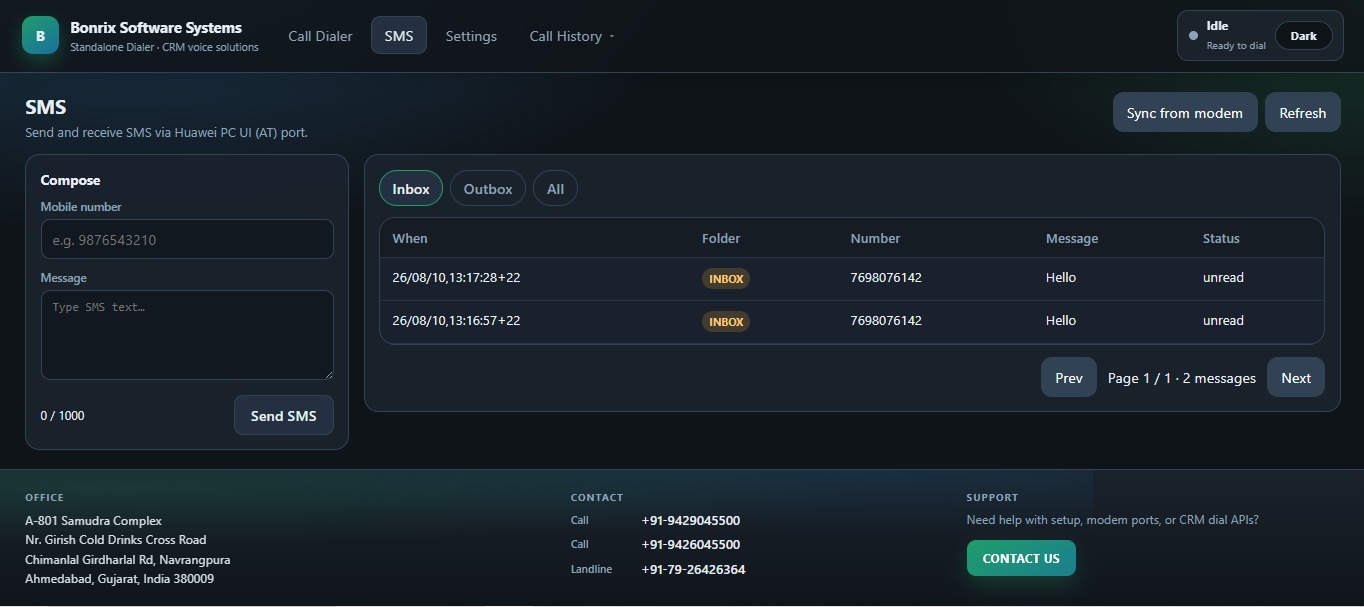
Extensive Huawei Dongle Compatibility: The dialer supports a wide range of proven Huawei USB sticks, including E303s, E173, E1731, E173u-2, E1550, E1552, E1750, E1752, E1756, E153, E160, E160E, E160G, E169, E169G, E156, E156G, K3765, K3520 and K3715. Simply insert a GSM SIM into the dongle, plug it into a USB port, connect your USB headset, and start talking.
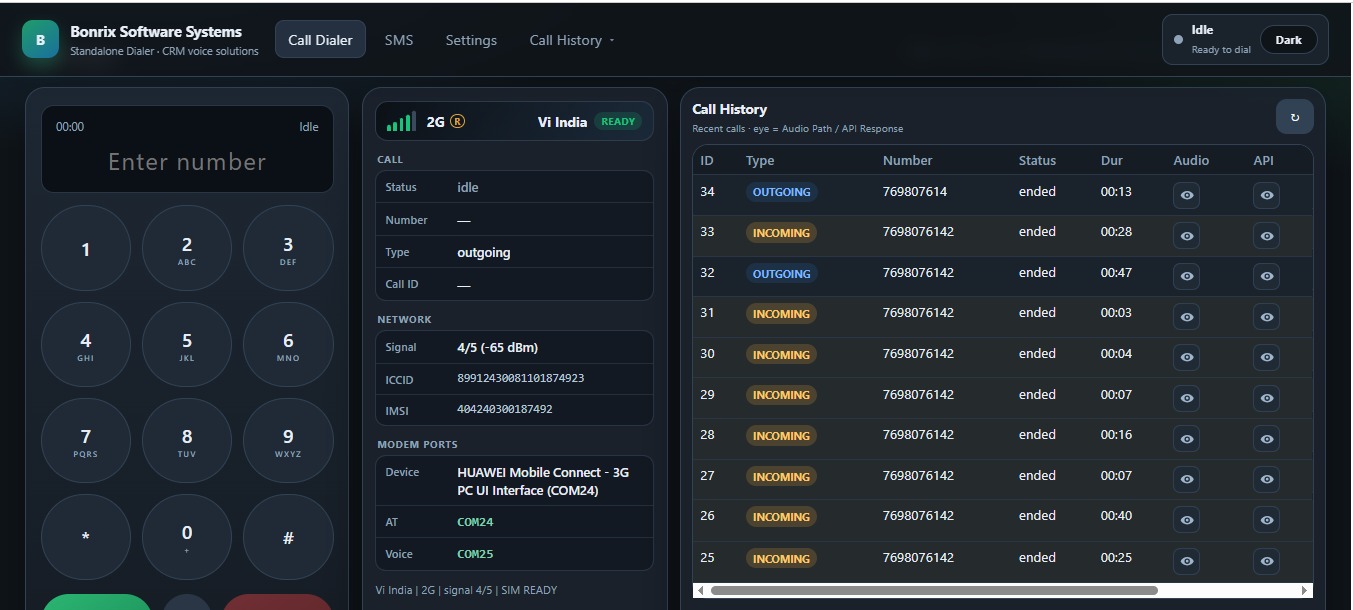
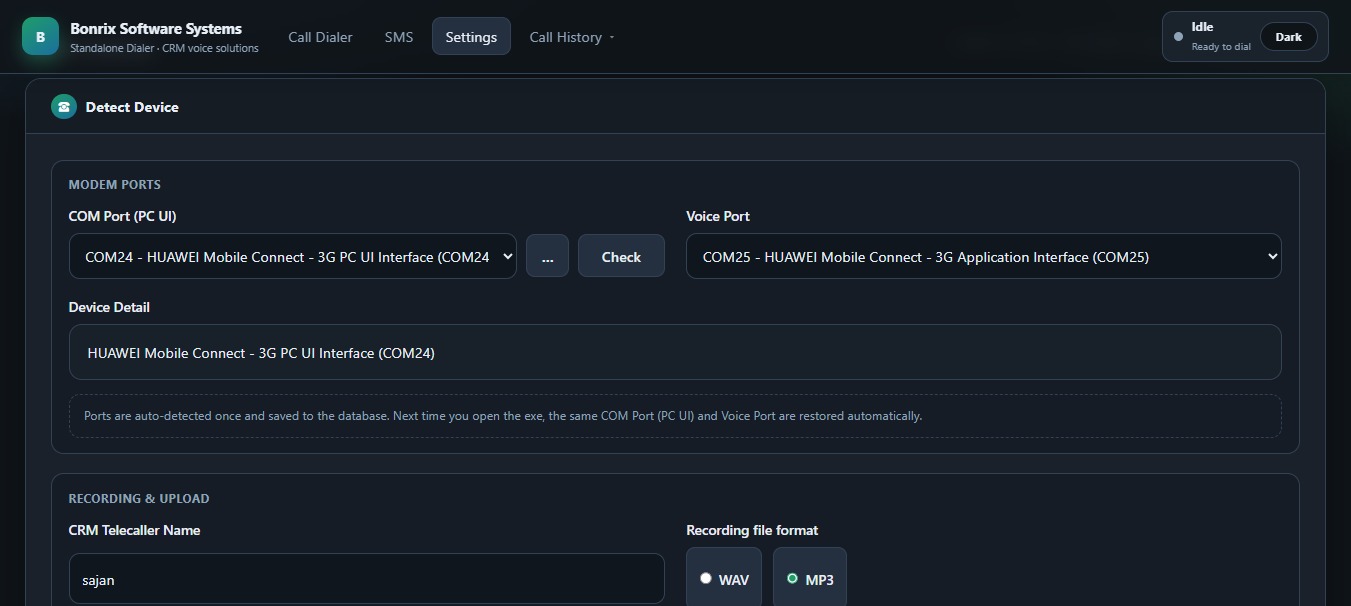
A True Inbound + Outbound Console: The desktop interface works like a professional call-center agent panel — on-screen numeric keypad, caller ID with number display, live phone-number list, one-click answer/end, and a Power Dialer button for rapid outbound calling. Agents, sales staff and support staff can manage both incoming and outgoing calls with ease.
Perfect for In-House, MSME & Startup Call Centers: This desktop-based dialer is ideally suited for in-house teams, MSMEs and startup call-center setups where agents need to handle calls professionally on a minimal budget. One dongle + one laptop per agent is all it takes to go live.
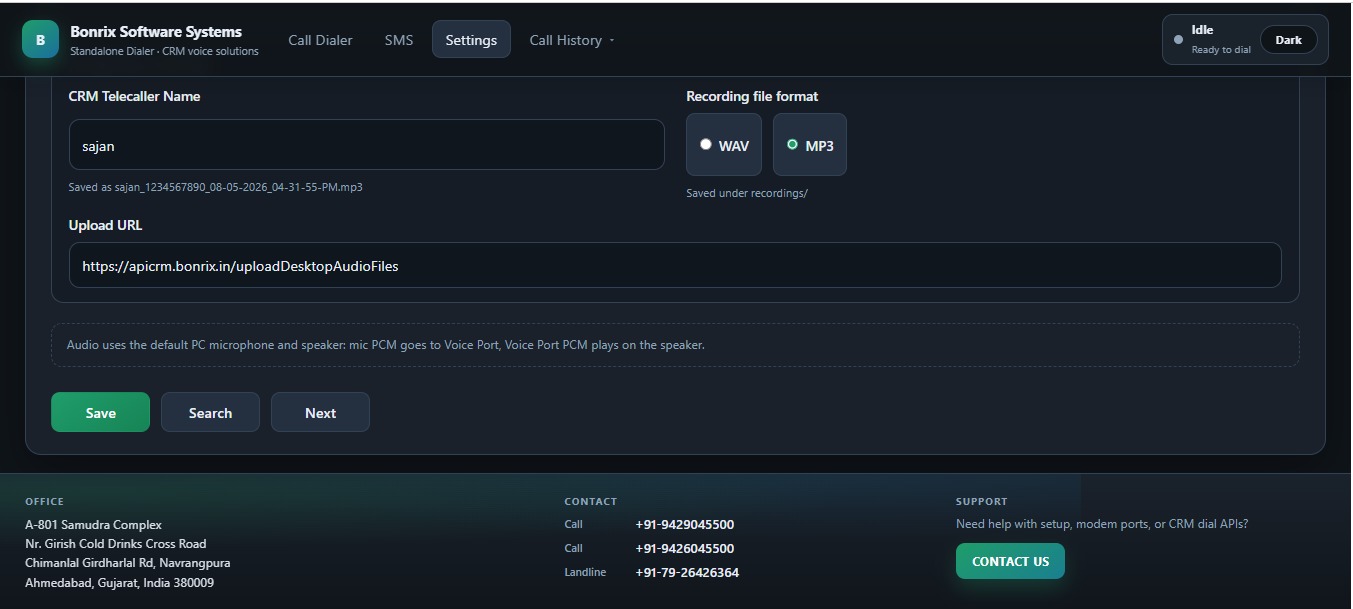
Open API & Seamless CRM Integration: The Bonrix Auto Dialer App for Huawei USB 3G dongles is easily integratable with any CRM software via the open API available in the desktop-based dialer. Inbound/outbound call data, call duration and audio recording get automatically updated to your call-center software or company CRM for audit, compliance and quality-training purposes.
Click-to-Call from Any Website: Any website phone number connected with a tel: link (e.g., tel:+919429045500) auto-invokes the Desktop Dialer app and dials automatically — zero manual keying, zero dialing errors.
Auto-Dialing / Predictive Workflow: For outbound campaigns, agents don't have to dial numbers one by one. The CRM dials calls sequentially, the agent speaks with the client, enters feedback, and the moment feedback is saved, the Auto Dialer throws the next call to the agent — maximizing talk time and productivity. Each call recording is uploaded to your call-center suite or CRM.
Low Cost, Big-Screen Advantage: Compared to mobile-phone-based telecalling, this is a dramatically cost-effective solution, and agents get full room and visibility on the desktop/laptop screen for reading customer data, entering follow-ups and managing pipelines. Best suited for small call centers, sales & support centers of any small organization, and CRM-integrated deployments.
Contact Bonrix Software Systems for customized dialer development and CRM software development:
🌐 https://www.bonrix.co.in | https://www.mautodialer.com | https://www.callcentersoftware.co.in | https://crm.bonrix.in
📞 +91 94290 45500 | ✉️ info@bonrix.net
Extended Hashtags:
#AutoDialer #PredictiveDialer #PowerDialer #ProgressiveDialer #PreviewDialer #CallCenterSoftware #CallCenterSolution #ContactCenter #DesktopDialer #LaptopDialer #HuaweiDongle #HuaweiE303 #HuaweiE173 #HuaweiE1550 #HuaweiE160 #HuaweiE1750 #HuaweiE153 #HuaweiK3765 #USBModem #3GDongle #GSMModem #DataCard #VoiceDongle #SMSDongle #USBHeadset #ClickToCall #Click2Call #TelLink #CRMIntegration #OpenAPI #CRMSoftware #CloudCRM #CallRecording #VoiceLogging #CallAudit #QualityMonitoring #InboundCallCenter #OutboundCallCenter #Telemarketing #Telesales #Telecalling #TelecallingSoftware #CustomerSupport #HelpDesk #LeadManagement #SalesDialer #SupportDialer #CallCenterSetup #SmallCallCenter #MSME #StartupIndia #SmallBusiness #Ahmedabad #India #Bonrix #BonrixSoftwareSystems #AutoDialingSoftware #DialerApp #CTI #ComputerTelephonyIntegration #TelephonySolution #IVR #CallCenterAgent #AgentProductivity #CustomerFollowUp #ComplianceRecording #AuditTrail #WebToPhone #SoftDialer #GSMCallCenter #SIMDialer #HuaweiUSBStick #DataCardDialer #SalesAutomation #WorkflowAutomation #CustomSoftwareDevelopment #CRMDevelopment #DialerDevelopment #CustomerExperience #CallCenterTechnology
| Documents | Downloads |
|---|---|
| StandaloneDialer for Bonrix Auto Dialer Low Cost PC Call Center |
 |
| DataCardDriver for Bonrix Auto Dialer Low Cost PC Call Center |
|
| Postman Collection for Standalone Dialer API Documentation With Responses |
 |
| Bonrix Auto Dialer – Windows TEL Protocol & Click-to-Call API Test HTML Page |
 |
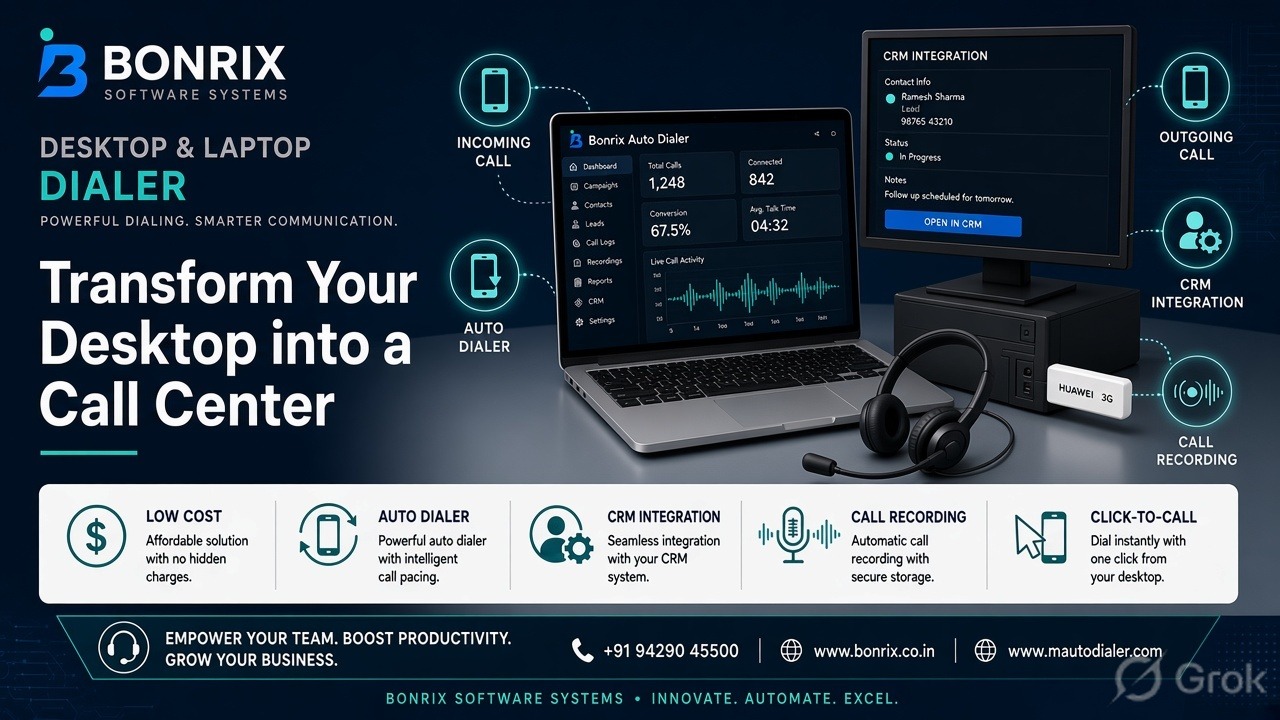
🎧 Transform Your Desktop / Laptop Into a Complete Low-Cost Call Center with Bonrix 📞
Bonrix Software Systems offers a very low-cost, highly efficient Desktop and Laptop based Dialer Solution using Huawei Voice and SMS Dongle / USB 3G Data Card.
Turn any Windows Desktop or Laptop into a professional inbound and outbound call center dialer. Just plug in a compatible Huawei dongle, connect a USB Headphone, and start handling calls directly from your PC.
🔌 Compatible Huawei Models
E303s, E173, E1731, E173u-2, E1550, E1552, E1750, E1752, E1756, E153, E160, E160E, E160G, E169, E169G, E156, E156G, K3765, K3520, K3715 and other voice-enabled Huawei sticks.
This solution is perfectly suited for in-house call centers, MSME, startups, and small businesses where sales, support, or tele-calling staff need to manage customer communication professionally without expensive hardware.
🚀 Key Features of Bonrix Auto Dialer App for Huawei Dongle
- 1. Complete Desktop Dialer: Works perfectly for both incoming and outgoing calls using USB headphone. No need for IP Phones or costly setup.
- 2. Inbound + Outbound Call Center: Acts as a full-featured call center dialer. Manage leads, follow-ups, and customer support from one screen.
- 3. Seamless CRM Integration: Easily integratable with any CRM or call center software via Open API. Inbound and outbound call data, duration, and audio recordings are automatically pushed to your CRM for audit and analysis.
- 4. Click-to-Call Integration: Enable click-to-call from any website or CRM. Just click on any phone number with
tel:+919429045500format and the Bonrix Desktop Dialer automatically dials the number. - 5. True Auto Dialer Mode: Boost agent productivity. Agents do not need to dial manually. CRM pushes calls one by one. As soon as an agent saves feedback for one call, the next call is automatically thrown by the Auto Dialer.
- 6. Automatic Call Recording: Every call recording with call logs, duration, and customer history gets uploaded to your call center suite or company CRM software.
- 7. Most Cost-Effective: Much lower cost than mobile phones or cloud telephony. Gives your team full visibility on a large desktop screen for better data reading, note-taking, and customer follow-up entry.
🎯 Ideal For
- Small Call Centers
- Sales Teams
- Support Centers
- Telemarketing & Lead Generation
- Collection & Recruitment Firms
- Educational Institutes
- Any Organization Looking for CRM Integrated Calling
Stop investing in expensive call center infrastructure. Start smart with Bonrix.
📞 Contact for Customized Dialer Development and CRM Software Development
Bonrix Software Systems
Website: https://www.bonrix.co.in | https://www.mautodialer.com | https://www.callcentersoftware.co.in | https://crm.bonrix.in
Call / WhatsApp: +919429045500 | Email: info@bonrix.net
#Bonrix #BonrixSoftwareSystems #BonrixAutoDialer #CallCenterSoftware #CallCenterSolution #AutoDialer #AutoDialerSoftware #DesktopDialer #LaptopDialer #PCDialer #HuaweiDialer #HuaweiDongle #HuaweiUSBModem #E303s #E173 #USB3GStick #VoiceDongle #SMSDongle #USBModemDialer #InboundCallCenter #OutboundCallCenter #SmallCallCenter #InHouseCallCenter #MSMECallCenter #StartupCallCenter #LowCostCallCenter #AffordableCallCenter #CRMIntegration #OpenAPI #ClickToCall #CallRecordingSoftware #SalesDialer #SupportDialer #TelemarketingSoftware #TelecallingSoftware #LeadManagementSystem #CRMsoftware #CustomDialer #CustomCRMDevelopment #IndianCallCenterSoftware #CallCenterIndia #CloudTelephonyAlternative #VoIPAlternative