Bonrix Cloud Printer HUB — Remote Cloud Printing via MQTT, API & Virtual Printer for Billing, Kitchen & Warehouse
Imagine you are generating an invoice at your head office in Ahmedabad, but the physical printout needs to come out instantly at your branch office in another city. Or a customer places an online food order, and the order should automatically print on the kitchen printer located inside the restaurant. Perhaps you operate an e-commerce business where every confirmed order must immediately print on the warehouse packing printer, even though your e-commerce application is hosted on a cloud server.
These are exactly the types of requirements that Bonrix Cloud Printer HUB is designed to solve.
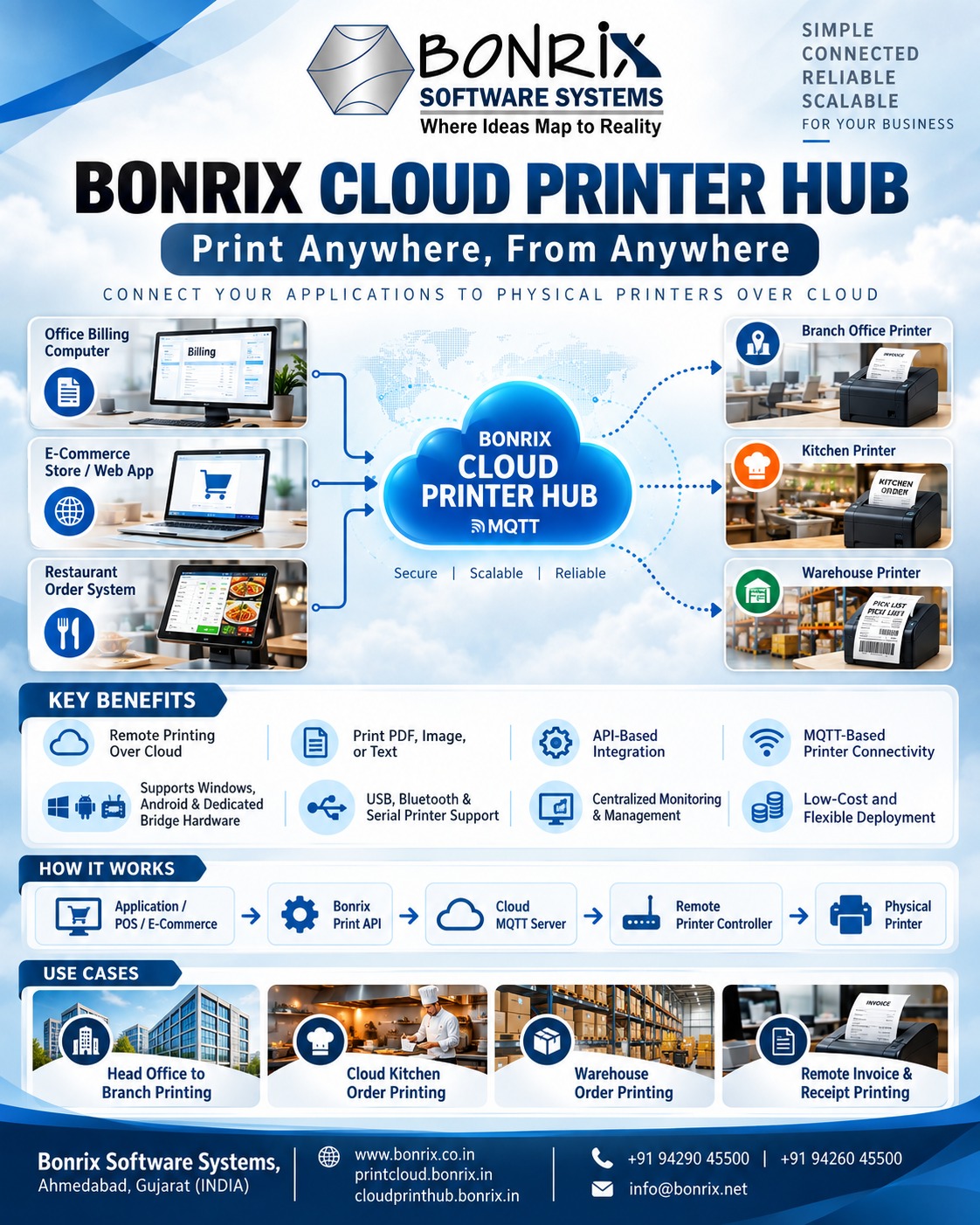
Bonrix Software Systems introduces Bonrix Cloud Printer HUB, a flexible cloud-based remote printing platform that allows applications, websites, mobile apps, Windows systems and third-party software to send print jobs securely to physical printers located anywhere over the Internet.
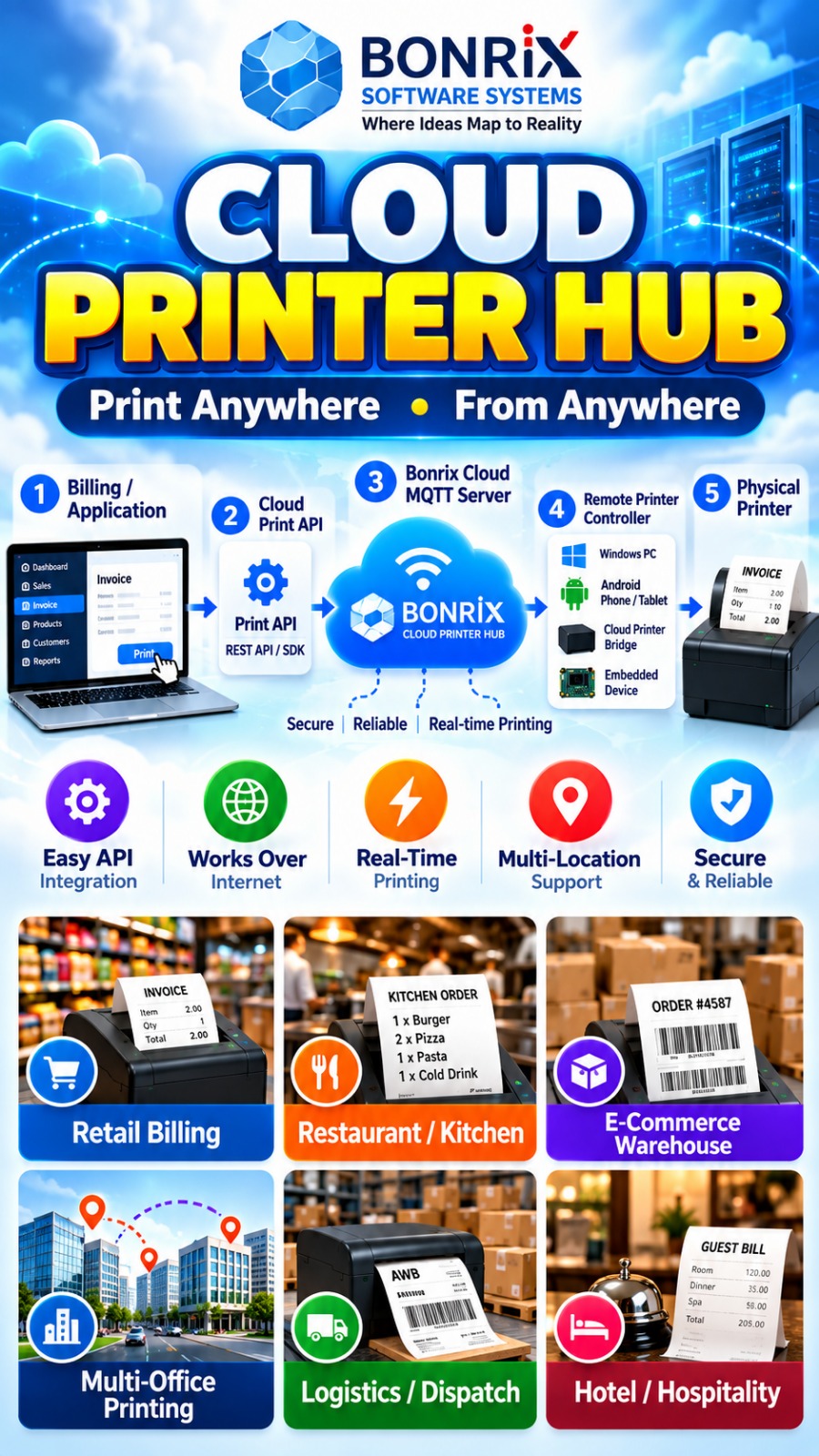
Instead of requiring the software application and printer to be present on the same local network, Bonrix Cloud Printer HUB creates a bridge between your cloud application and the remote physical printer using a Cloud MQTT-based communication architecture.
How Bonrix Cloud Printer HUB Works
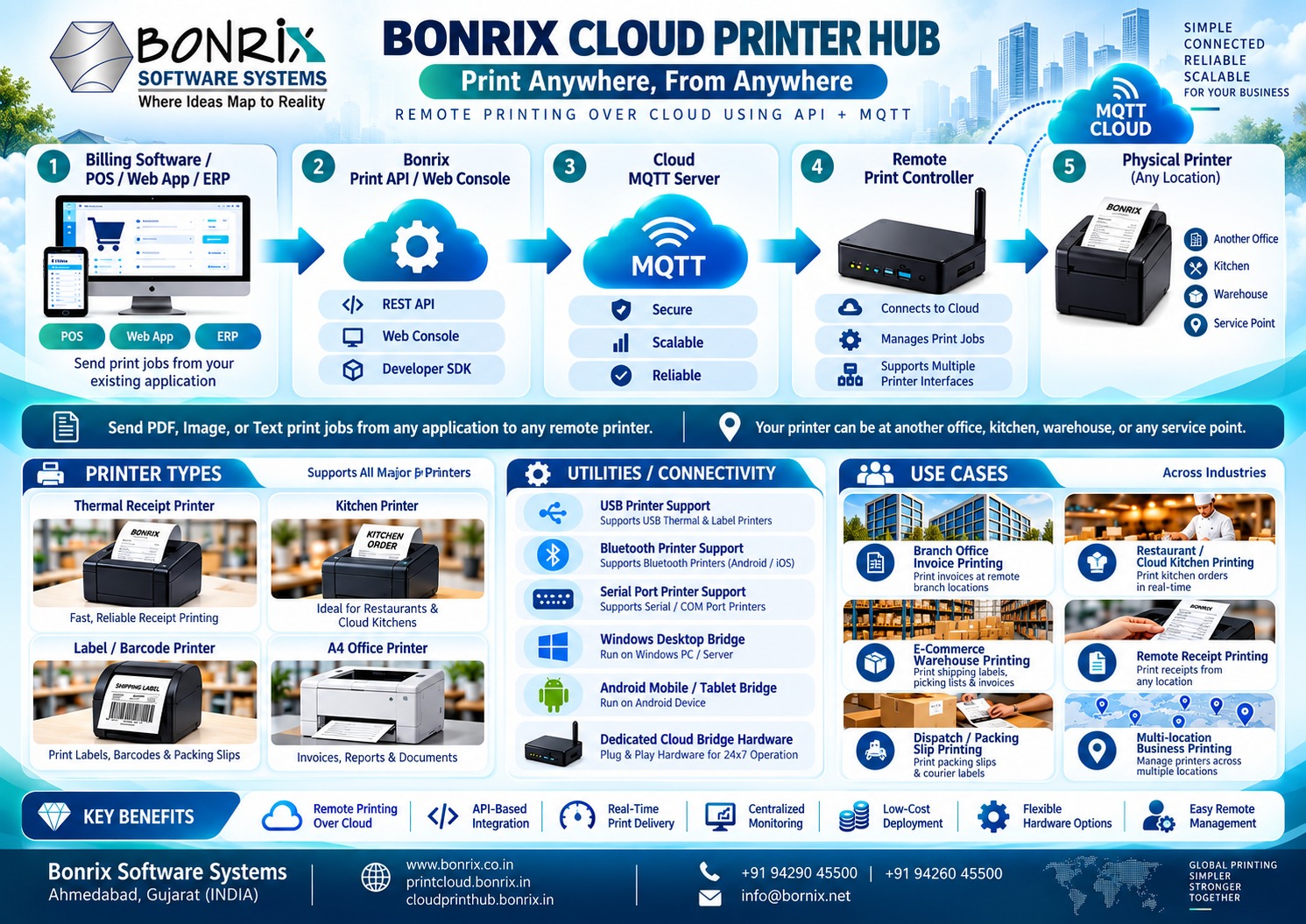
At the remote location, the physical printer is connected to a compatible controller using interfaces such as:
• USB
• Bluetooth
• Serial Port
• LAN / Network
• Other supported printer communication interfaces
The printer controller can be selected depending on the customer's requirement, infrastructure and budget. It may be:
• Windows Desktop or Windows PC
• Android Smartphone
• Android Tablet
• Dedicated Printer Controller Software
• Specialized Bonrix Cloud Printer Bridge Hardware
• Embedded IoT Printing Device
• Custom printer gateway hardware
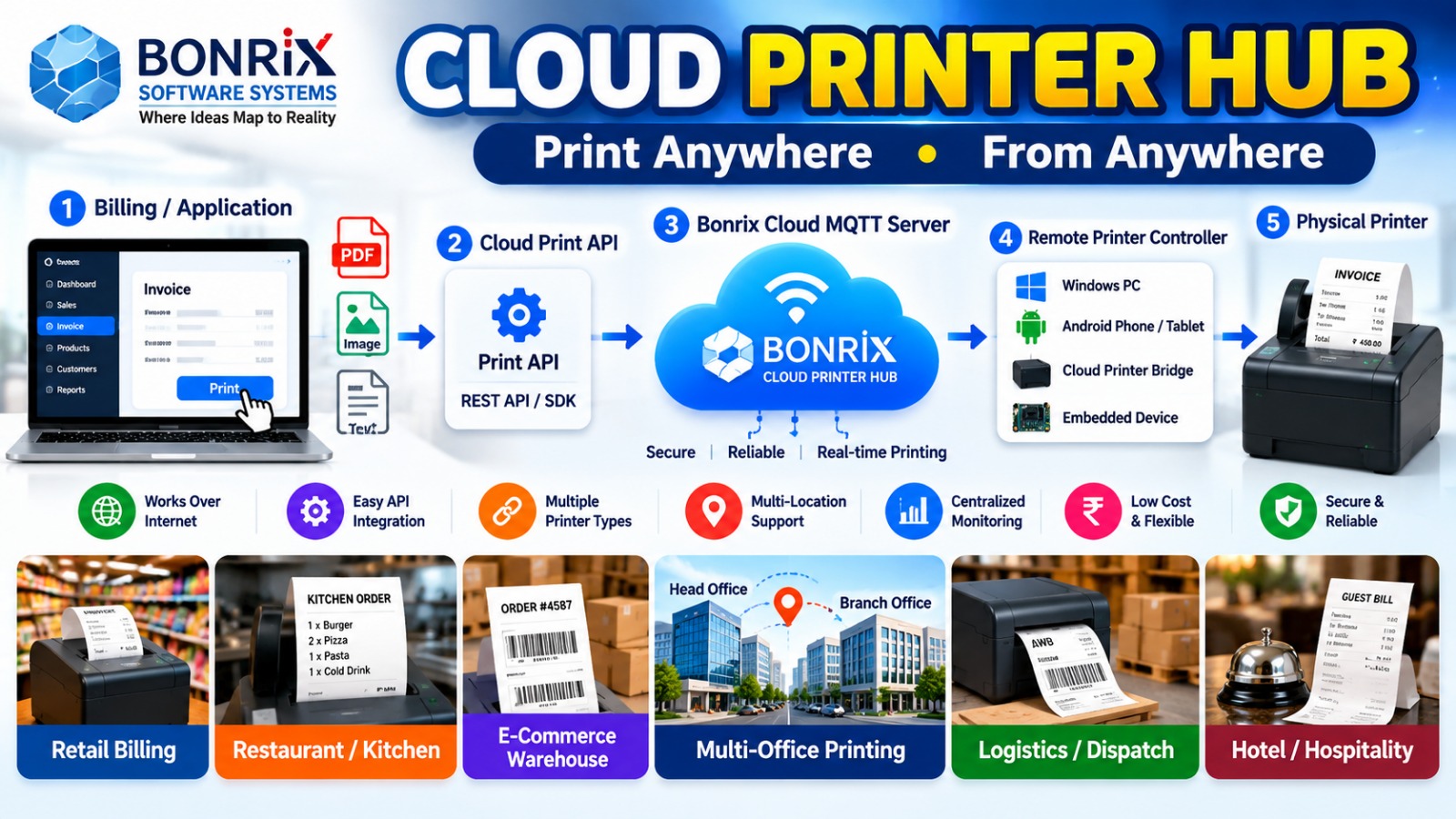
The controller software or hardware maintains a connection with the Bonrix Cloud MQTT Server using its own unique device or printer identifier. This unique identity allows the Bonrix Cloud Printer HUB platform to identify exactly which printer should receive a particular print job.
The basic communication flow can be represented as:
Business Application → Bonrix Print API → Cloud Print HUB → Cloud MQTT Server → Remote Printer Controller → Physical Printer
Printer Web Console & API Panel
Every printer owner or business can receive access to a centralized Printer Web Console / API Management Panel. Through this console, businesses can configure printers, manage printer identifiers, monitor printer connections and integrate third-party applications with the Bonrix Cloud Printing infrastructure.
Once a printer is configured and connected with the Bonrix Cloud MQTT Server, authorized applications can remotely send print jobs to that specific printer through the provided API. The API can be integrated into:
• ERP Software
• Billing Software
• POS Systems
• Restaurant Management Software
• E-commerce Platforms
• Warehouse Management Systems
• Order Management Systems
• CRM / ERP Platforms
• Web Applications
• Mobile Applications
• SaaS Platforms
• Cloud-Based Business Applications
Depending on printer capability and integration, the system can support printing content such as:
PDF documents, images, text, invoices, receipts, kitchen order tickets, packing slips, order details, labels, reports and other printable content.
Virtual Cloud Printer for Windows
Bonrix can also provide a Virtual Cloud Printer Driver for Windows. From the user's point of view, the virtual printer works similarly to selecting a normal printer from any Windows application.
For example, the user creates an invoice in billing software and selects:
Bonrix Virtual Cloud Printer
instead of the locally connected printer.
The print job is then routed through the Bonrix Print Cloud infrastructure to the configured remote printer. The flow becomes:
Windows Application → Bonrix Virtual Cloud Printer → Bonrix Cloud Print API → Cloud MQTT → Remote Printer Controller → Physical Printer
Therefore, the employee generating the document does not need to know the technical details of the remote printer connection.
Virtual Cloud Printer App for Android
A similar architecture can be implemented using a Virtual Cloud Printer App for Android smartphones or tablets. Users can initiate printing from supported Android applications and route the print job through the Bonrix Cloud Printer HUB to a registered printer located remotely. This provides businesses with tremendous flexibility when employees work through tablets, handheld devices or Android-based POS systems.
Restaurant & Cloud Kitchen Printing
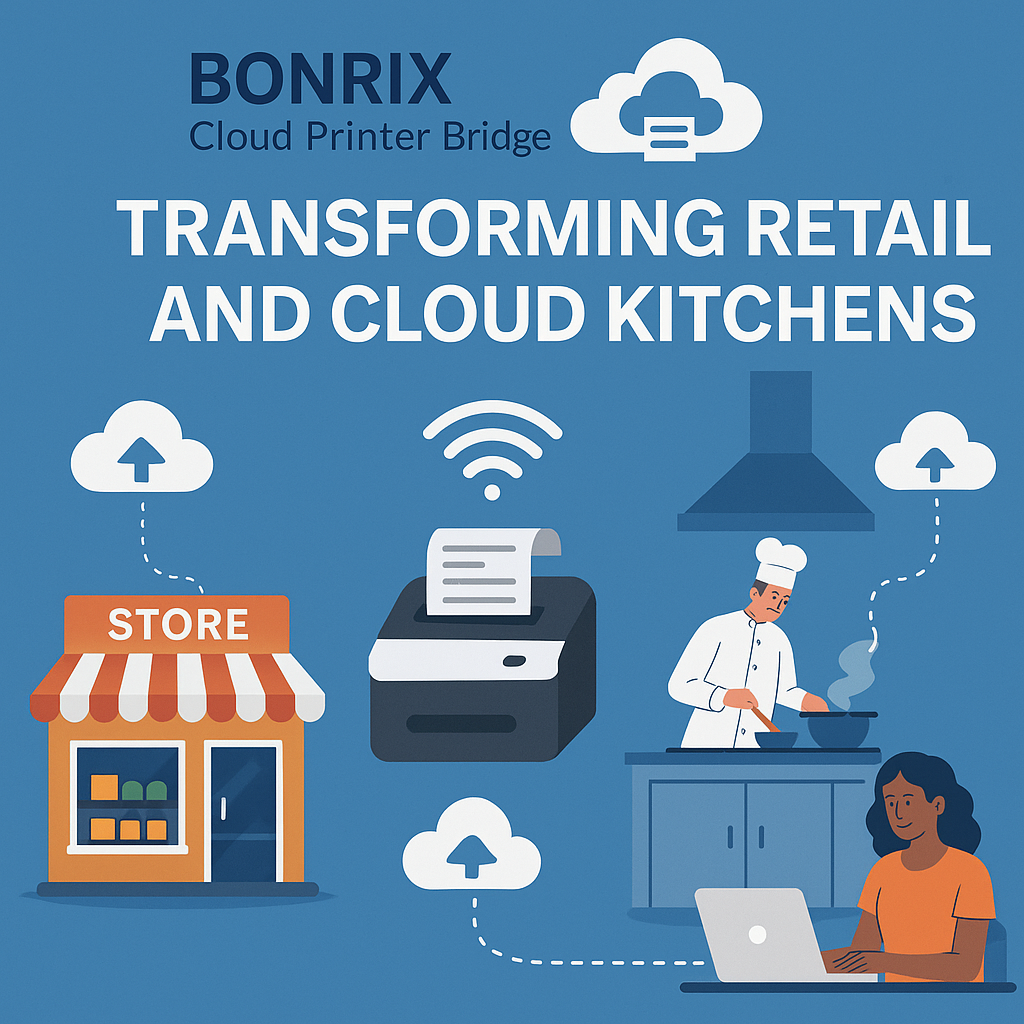
One of the most useful applications is remote kitchen order printing. Suppose an order is received from a restaurant website, online ordering platform or centralized order management application. Immediately after order confirmation, the software can call the Bonrix Print API. The Cloud Printer HUB identifies the restaurant and printer, sends the print command through MQTT and automatically prints the order on the restaurant's kitchen printer. There is no requirement for the kitchen operator to repeatedly check a website or refresh an application. Orders can simply arrive directly on the printer.
E-Commerce & Warehouse Printing
For an e-commerce business, confirmed orders can automatically print at the appropriate warehouse. For example:
Customer Order → E-Commerce Server → Bonrix Print API → Warehouse Printer
The system can potentially route different orders to different printers based on warehouse, city, branch, department, seller or other business logic implemented by the integrating application. Packing teams can therefore receive order information almost immediately.
Multi-Office Remote Printing
Another common application is organizations operating multiple offices. An invoice may be generated at one office while the document needs to be printed at another location. Instead of manually downloading the PDF, emailing it, forwarding it through messaging applications and asking someone to print it, the software can directly send the document to the destination printer. This can be useful for:
• Head Office to Branch Office printing
• Branch-to-Branch printing
• Billing counter printing
• Warehouse documentation
• Factory production documents
• Dispatch instructions
• Delivery challans
• Purchase orders
• Retail store receipts
• Service center job sheets
Flexible Hardware Architecture
One of the major advantages of the Bonrix Cloud Printer HUB concept is flexibility. Businesses are not restricted to only one type of controller architecture. Depending on the deployment, the printer gateway may be implemented using a Windows computer, Android device, embedded controller or dedicated Bonrix Cloud Printer Bridge hardware. This makes the solution suitable for both low-cost installations and larger enterprise deployments.
Centralized Monitoring & Management
The system is designed around centralized cloud connectivity, helping administrators manage remote printers more easily. Depending on deployment and configuration, businesses can monitor printer registration, connectivity, print routing, device identification and printing infrastructure through a centralized environment. Instead of creating complicated VPN networks between offices, Bonrix Cloud Printer HUB can provide a simpler Internet-based printing architecture.
#Bonrix #BonrixSoftwareSystems #BonrixCloudPrinter #BonrixCloudPrinterHub #CloudPrinterHub #CloudPrinting #RemotePrinting #PrintAnywhere #PrintFromAnywhere #CloudPrint #CloudPrinter #RemotePrinter
6352445500 | 9426045500 | 6352545500
🌐
www.bonrix.co.in|
www.bonrix.net|
www.bonrix.in