
Bonrix CRM with Mobile Auto Dialer
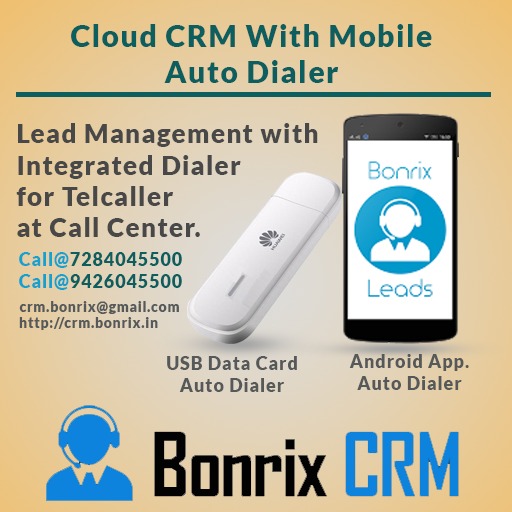
Bonrix CRM with Mobile Auto Dialer
Bonrix CRM With Desktop Dialer is USB Based Dialer for Calling.
It required Uuawei USB Modem.
It is USB Diale so It will directly attached with your Computer and
Just
set COM port into
Desktop
Dialer and it is ready to Call.
Call Cost deduct from Your SIM card Attached in USD Modem.
It is 2G Modem required 2G SIM Card.
Bonrix CRM with Desktop Based GSM Modem Dialer (SIM based Outbound
Calling)
Bonrix Software Systems
6352445500 | 9426045500 | 6352545500
The Bonrix CRM with Mobile Auto Dialer and
Desktop
Dialer is a powerful solution for businesses
looking to manage their customer interactions.
The
USB-based Desktop Dialer allows users to make
calls
directly from a computer using a Huawei USB
modem
and a
2G SIM card. The cost of the calls will
be
deducted from the SIM card.
• Here is a list of features that a CRM with Mobile
Auto
Dialer typically offers:
• Contact Management: A centralized database of
customer
information, including contact details,
communication history, and notes.
• Lead Management: A system for tracking and
managing
leads, including lead scoring, nurturing, and
conversion tracking.
• Mobile Auto Dialer: A feature that allows sales
reps
and support teams to make calls directly from
their
mobile devices.
• Call Tracking: A record of all calls made through
the
Mobile Auto Dialer, including call duration,
outcome, and notes.
• Reporting and Analytics: Real-time insights and
reporting on sales and support activities,
including
call metrics and customer behavior.
• Task Management: A system for managing and
tracking
sales and support tasks, including follow-ups,
appointments, and to-do lists.
• Integrations: Integrations with other tools and
systems, such as email marketing software,
telephony
systems, and social media.
• Customizable Workflows: The ability to customize
workflows and automate processes, such as lead
assignment, follow-up reminders, and escalation
procedures.
• User Management: A system for managing user
accounts,
including user permissions, role-based
access, and
reporting on user activities.
• Multi-channel Communication: A platform for
communicating with customers across multiple
channels,
including email, SMS, and social media.
| Document Name | Download |
|---|---|
| Test Page For Voice Dialer |
 |
| Test Page For Voice Dialer |
|
| Test Page For Voice Dialer |
|
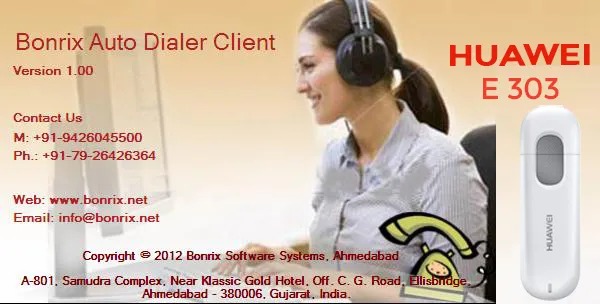
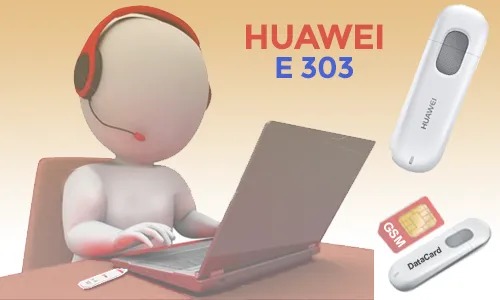
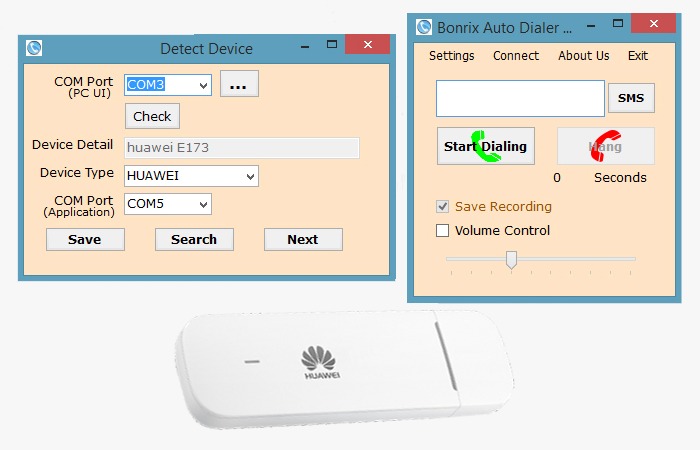
Bonrix CRM with Desktop Based GSM Modem Dialer (SIM based Outbound Calling)
Lead Processing By Inbound Call
Lead Processing By Outbound Call
📞 Bonrix SmartCRM Auto Dialer – Complete Product Demo
Watch Bonrix SmartCRM’s category-wise Auto Dialer working with the Bonrix desktop GSM Dialer. This demo shows how telecalling and sales teams can manage leads, make SIM-based GSM calls, track call activity and schedule customer follow-ups from one connected CRM workflow.
Bonrix SmartCRM helps businesses organize leads by category, automatically dial customer numbers through a connected GSM modem, view lead details during calls and record the outcome of every conversation.
🚀 FEATURES DEMONSTRATED
- ✅ Category-wise automatic lead dialing
- ✅ Date-range lead search
- ✅ Category-wise lead count
- ✅ Start and stop auto dialing from the CRM
- ✅ Lead details displayed during calling
- ✅ Desktop GSM Dialer integration
- ✅ Connected modem and network information
- ✅ Live call status: ringing and ended
- ✅ Outgoing call history
- ✅ Phone number, call status and call duration
- ✅ Call audio playback and download
- ✅ Successful-call follow-up form
- ✅ Lead status and customer response update
- ✅ Next follow-up date and time scheduling
- ✅ Remarks and conversation notes
- ✅ Failed-call response options
- ✅ Busy, Call Waiting and Switched Off status
- ✅ Network Error and Number Does Not Exist status
- ✅ Ringing No Response status
- ✅ Follow-up countdown timer
- ✅ End-call controls from the CRM
💼 USE CASES
- • Telecalling teams
- • Sales and marketing teams
- • Call centers
- • Customer support teams
- • Lead-generation businesses
- • Outbound calling teams
- • Customer follow-up management
🎯 BENEFITS
Bonrix SmartCRM reduces manual dialing work, keeps call records organized and helps teams manage customer follow-ups efficiently. Managers and operators can track calling activity, update lead status and maintain proper follow-up records.
📌 GSM CALLING
GSM Calling means making calls through a SIM card inserted into a connected GSM modem. The CRM controls the dialing process, while the call is placed through the mobile network.
📞 FOR DEMO & SALES ENQUIRIES
📞 Call: +91 7284045500
📧 Email: crm.bonrix@gmail.com
🌐 CRM Website: https://crm.bonrix.in/
🌐 Company Website: https://www.bonrix.co.in/
📍 Location: Bonrix Software Systems, Ahmedabad, Gujarat, India
Contact Bonrix to learn more about SmartCRM, GSM Calling, Auto Dialer and Lead Management solutions.
👍 Like this video, share it with your team and subscribe for more Bonrix product demonstrations.
#Bonrix #BonrixSmartCRM #SmartCRM #AutoDialer #GSMCalling #GSMDialer #TelecallingSoftware #CRMSoftware #LeadManagement #SalesAutomation #FollowUpManagement #CallHistory #CallRecording #OutboundCalling #SalesDialer #CallCenterSoftware #CustomerSupport #BusinessAutomation #SalesTeam #LeadTracking #Telemarketing #MadeInIndia
📞 Bonrix SmartCRM Incoming Call Management with Desktop GSM Dialer
Watch how Bonrix SmartCRM works with the Bonrix Desktop GSM Dialer to manage incoming customer calls, display matching lead records, update customer responses, and schedule follow-ups from one CRM interface.
This video demonstrates the workflow from receiving an incoming call to saving follow-up details and reviewing the updated lead information.
For telecalling and sales teams, having customer details available during a call helps maintain conversation continuity. With the demonstrated Bonrix SmartCRM workflow, the operator can review matching records and record the next action after speaking with the customer.
🎥 FEATURES DEMONSTRATED IN THIS VIDEO
- ✅ Incoming Call Notification: View an incoming call alert with the caller’s number so the operator can identify the call and take action.
- ✅ Answer and Hang-Up Controls: Use the desktop GSM dialer’s call controls to answer an incoming call or end the conversation.
- ✅ Matching Lead Details: View lead records associated with the incoming caller’s mobile number. The displayed list includes information such as lead ID, name, mobile number, lead state, progress state, and category.
- ✅ Desktop GSM Dialer Integration: See the Bonrix desktop dialer working alongside the web CRM, bringing calling and lead management into the same workflow.
- ✅ Modem and Network Information: The dialer interface displays connected modem details, network information, signal status, and communication port information.
- ✅ Incoming Call History: Review incoming call entries with the caller number, call status, and duration to understand recent calling activity.
- ✅ Category and Lead Selection: Select the relevant category or lead while entering follow-up details, helping the operator attach the update to the appropriate record.
- ✅ Lead Status Updates: Update the lead state after the conversation to reflect the current stage of the customer enquiry.
- ✅ Customer Response Entry: Select the customer’s response to record the outcome of the conversation and support the next follow-up action.
- ✅ Follow-Up Scheduling: Set a follow-up date and time when another customer interaction is required.
- ✅ Customer Remarks: Add notes about the conversation, customer requirements, pending information, or the next action.
- ✅ Save and Review Updates: Save the follow-up information and review the updated details in the All Leads section.
🔄 WORKFLOW SHOWN
Incoming customer call → View matching lead details → Answer using the GSM dialer → Complete the conversation → Select the relevant lead → Update status and response → Schedule the next follow-up → Add remarks → Save the update.
💼 WHO CAN USE THIS WORKFLOW?
- • Telecalling teams handling customer enquiries
- • Sales teams managing leads and callbacks
- • Customer support staff recording conversation outcomes
- • Businesses using a desktop GSM dialer with their CRM
- • Operators who need customer records available during incoming calls
Keeping call activity and follow-up information organized helps teams review previous interactions and understand what needs to happen next. Customer remarks also provide useful context when the same lead is handled again.
Bonrix SmartCRM brings lead details, customer responses, and follow-up scheduling together to support an organized calling process.
📞 FOR DEMO & SALES ENQUIRIES
📞 Call: +91 7284045500
📧 Email: crm.bonrix@gmail.com
🌐 Website: https://crm.bonrix.in/
📍 Location: Bonrix Software Systems, Ahmedabad, Gujarat, India
Contact us to discuss Bonrix SmartCRM and desktop GSM dialer integration for your business.
👍 Like this video if you found the demo useful.
💬 Comment with your CRM and telecalling requirements.
🔔 Subscribe for more Bonrix software demonstrations and product updates.